
Mobile App — Screen Gallery
A screen-by-screen tour of the PPP native mobile app (iOS + Android, built with Expo / React Native) after the on-brand restyle (#8205, #8238). Every screen is captured live from the running app on a Pixel-class device (1080 × 2400).
These are the unique primary screens a member sees: the four bottom-tab destinations, the full navigation menu, the profile, and a representative feature screen. The app renders the same PPP web experience inside a native shell, so the look and feel matches the desktop app — same brand blue (#117BE5), same Nunito typography, same components.
Captured from the full-platform test account (
test-full@ppp-test.com— "Sarah Chen", a CPD + PPP consultant). A CPD-only member sees a reduced menu (Wellness, Logbook, Appraisals and other PPP-only items are hidden) — that variant can be added on request.
Navigation model
The app has a fixed bottom tab bar with five destinations — Home, Wellness, CPD, Logbook, and More. The web header (search, notification bell, profile avatar) renders at the top of every screen inside the native shell — visible top-right on the Home and CPD Activities captures below. The old native blue header and its duplicate bell/logout were removed in #8259 so there is a single, unambiguous header and a single logout (in the avatar menu).
1. Home — PPP Dashboard
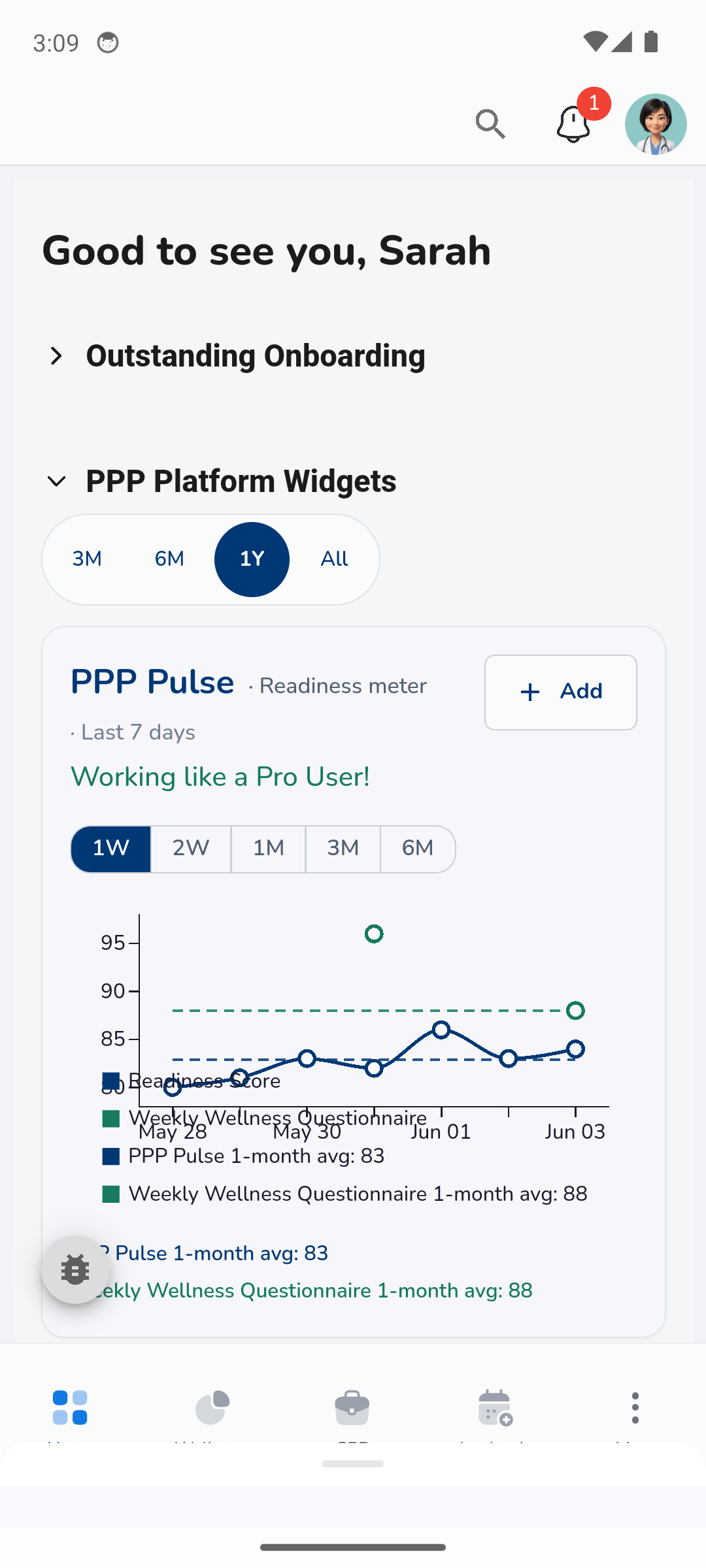
The landing screen. Personalised greeting, an "Outstanding Onboarding" prompt, and the PPP Platform Widgets including the PPP Pulse readiness chart with a selectable time range.
2. Wellness Dashboard
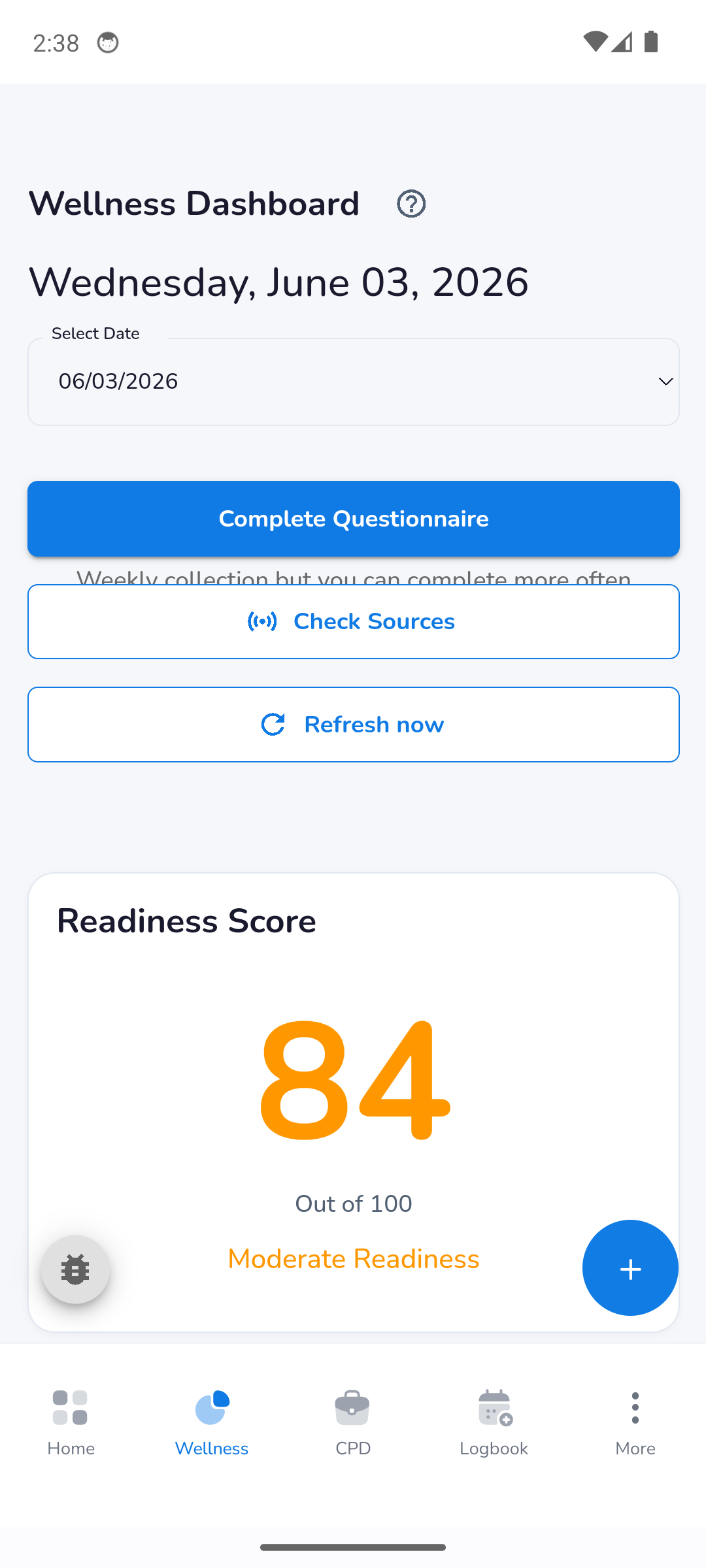
Readiness score (0–100) with a band label, a primary Complete Questionnaire call to action, and Check Sources / Refresh now secondary actions. The blue floating button adds a manual reading.
3. CPD Home
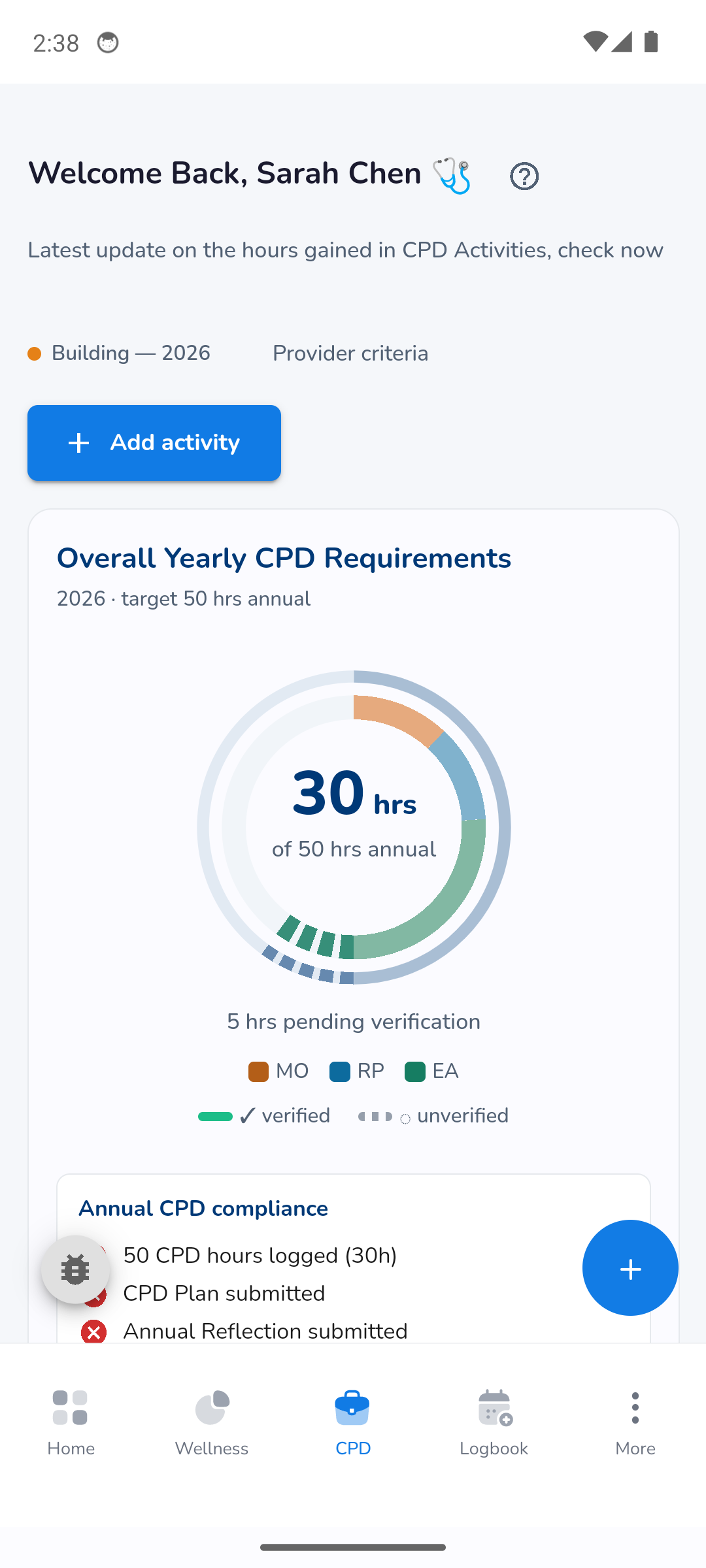
Yearly CPD progress as a donut chart (hours logged vs annual target), verified / unverified / pending-verification breakdown by category (MO / RP / EA), an Annual CPD compliance checklist, and + Add activity.
4. Surgical Logbook
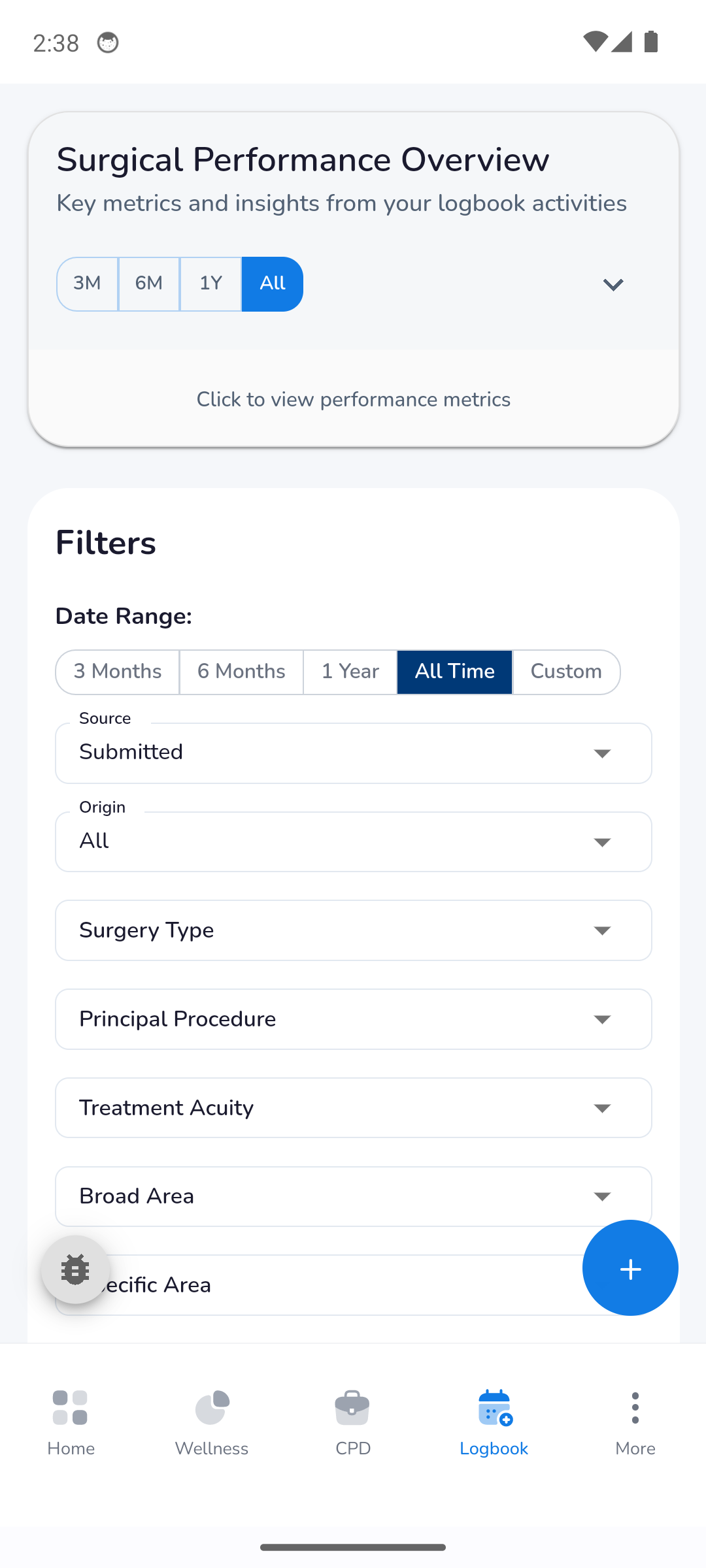
Surgical Performance Overview with a time-range selector, plus a rich Filters panel (date range, source, origin, surgery type, principal procedure, treatment acuity, broad / specific area). The blue floating button logs a new case.
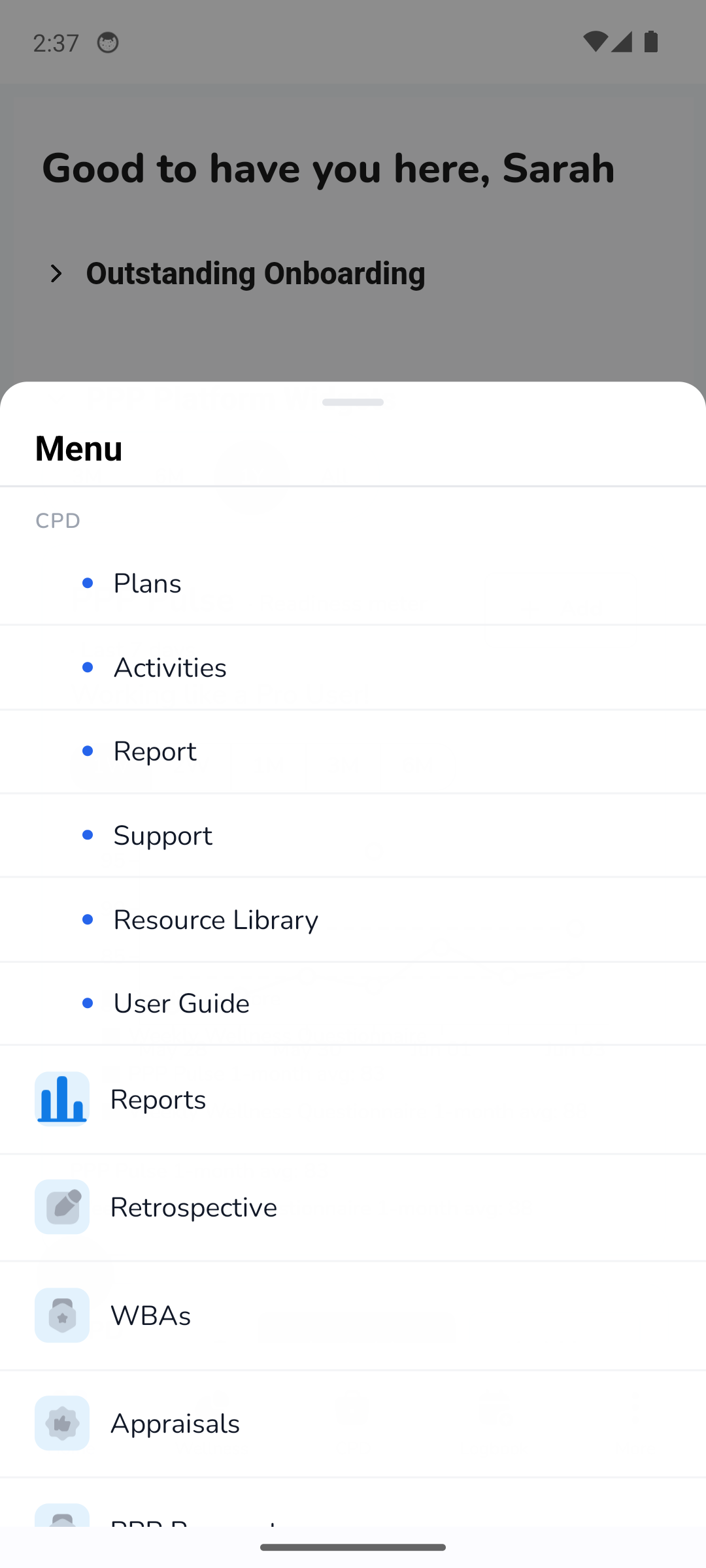
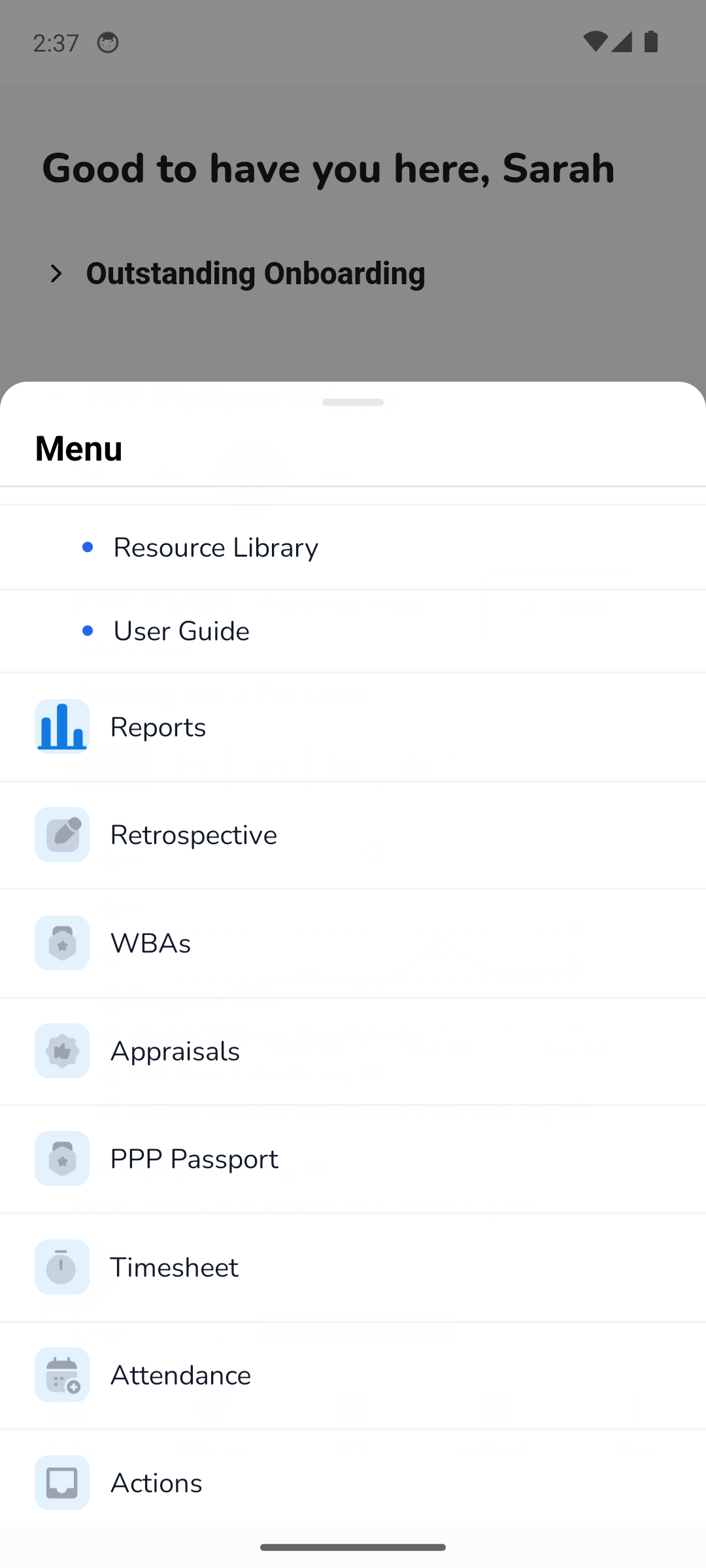
5. Navigation menu (More)
Tapping More opens the full navigation sheet — mirroring the desktop sidebar order. CPD sub-items (Plans, Activities, Report, Support, Resource Library, User Guide) sit under a CPD heading, followed by Reports, Retrospective, WBAs, Appraisals, PPP Passport, Timesheet, Attendance, Actions, and (in the utility section) My Profile.
| Top of menu | Lower / utility section |
|---|---|
 |  |
For a CPD-only member, the PPP-only entries (Wellness, Logbook, Retrospective, WBAs, Appraisals, PPP Passport, Timesheet, Attendance, Actions, Reports) are filtered out automatically (
hideForCpdOnly, #7837).
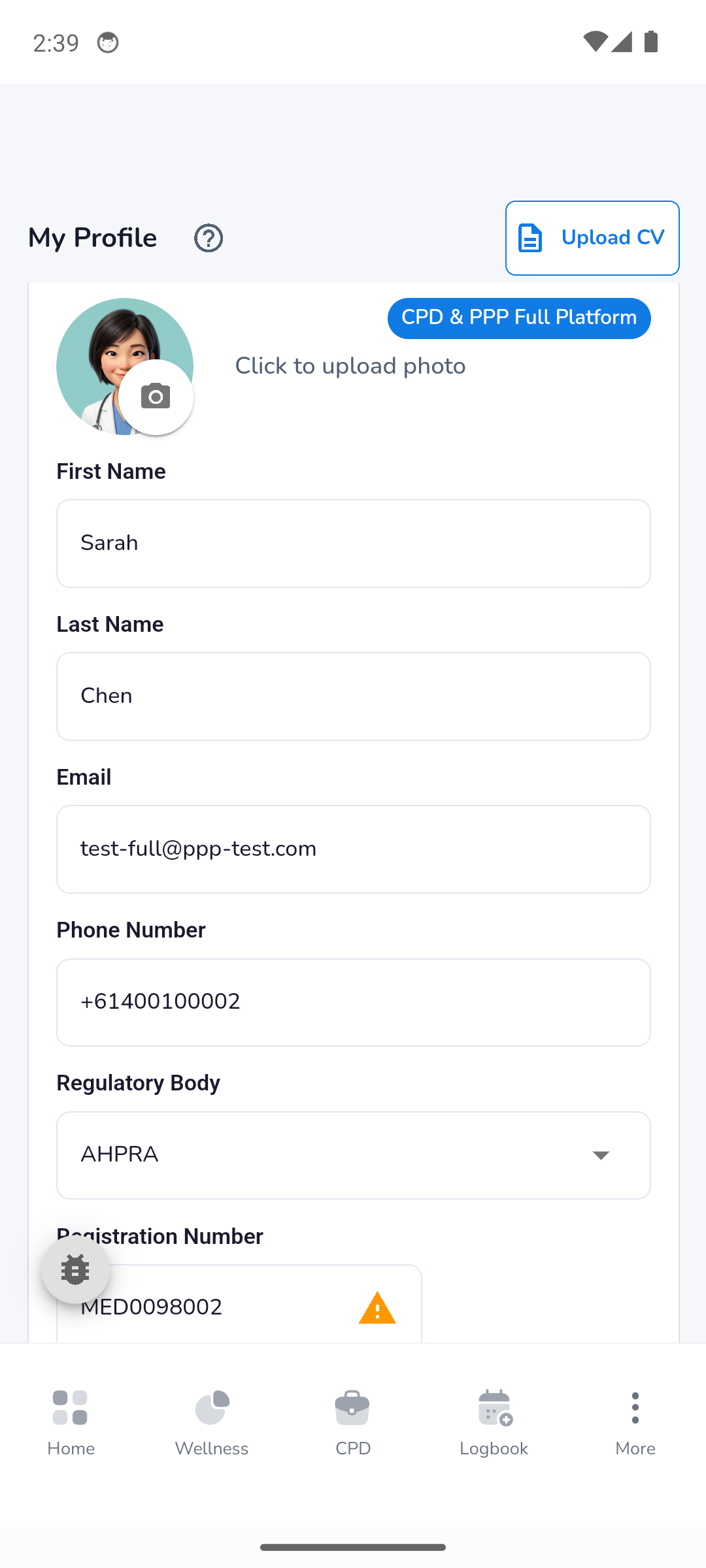
6. My Profile
Profile and registration details — name, email, phone, regulatory body (AHPRA / GMC), and registration number — with the account-tier badge (here, CPD & PPP Full Platform) and Upload CV.
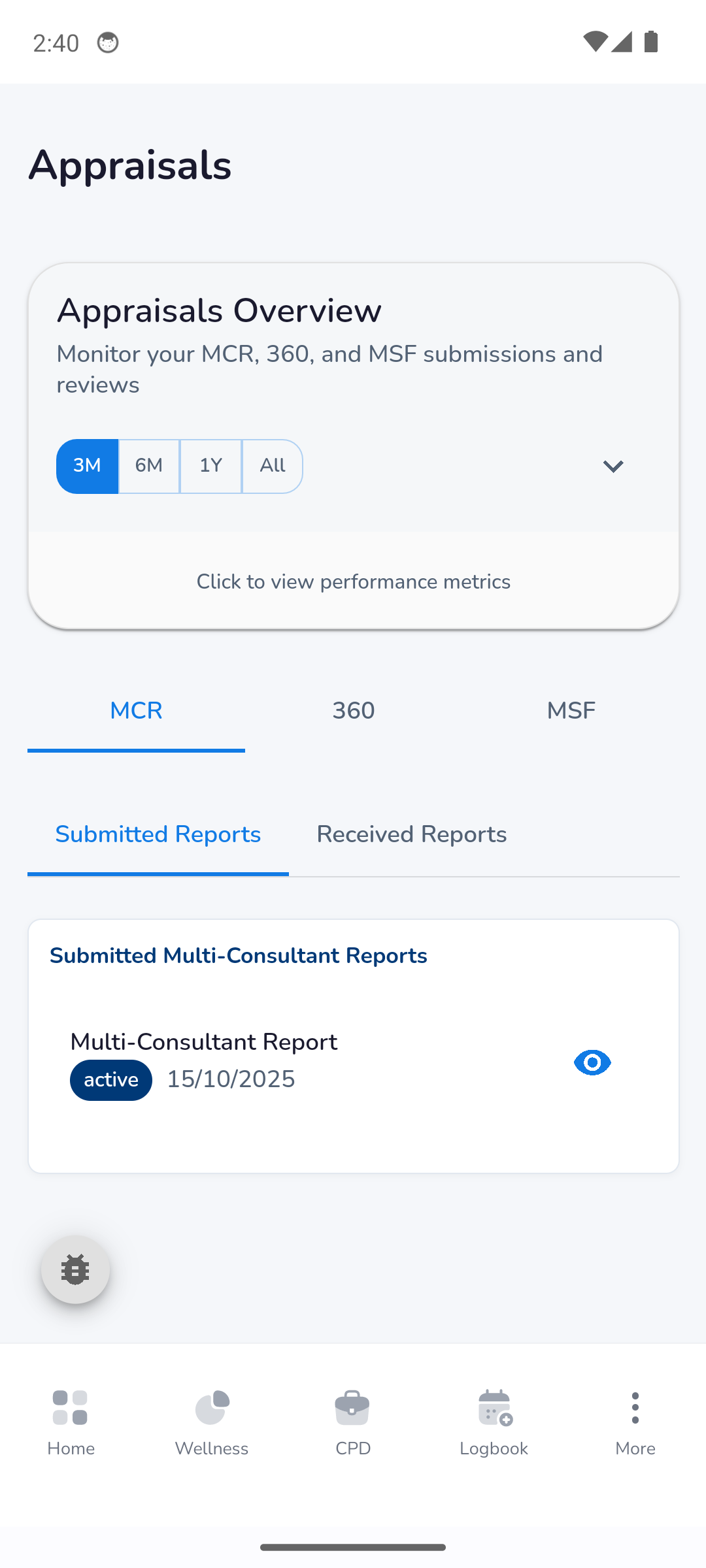
7. Appraisals
A representative PPP feature screen: Appraisals Overview with MCR / 360 / MSF tabs and Submitted / Received report lists.
8. CPD Activities
The CPD activity list — each logged activity with its category tag and a quick-view affordance. Note the web header (search, bell, avatar) at the top-right, rendering inside the native shell.
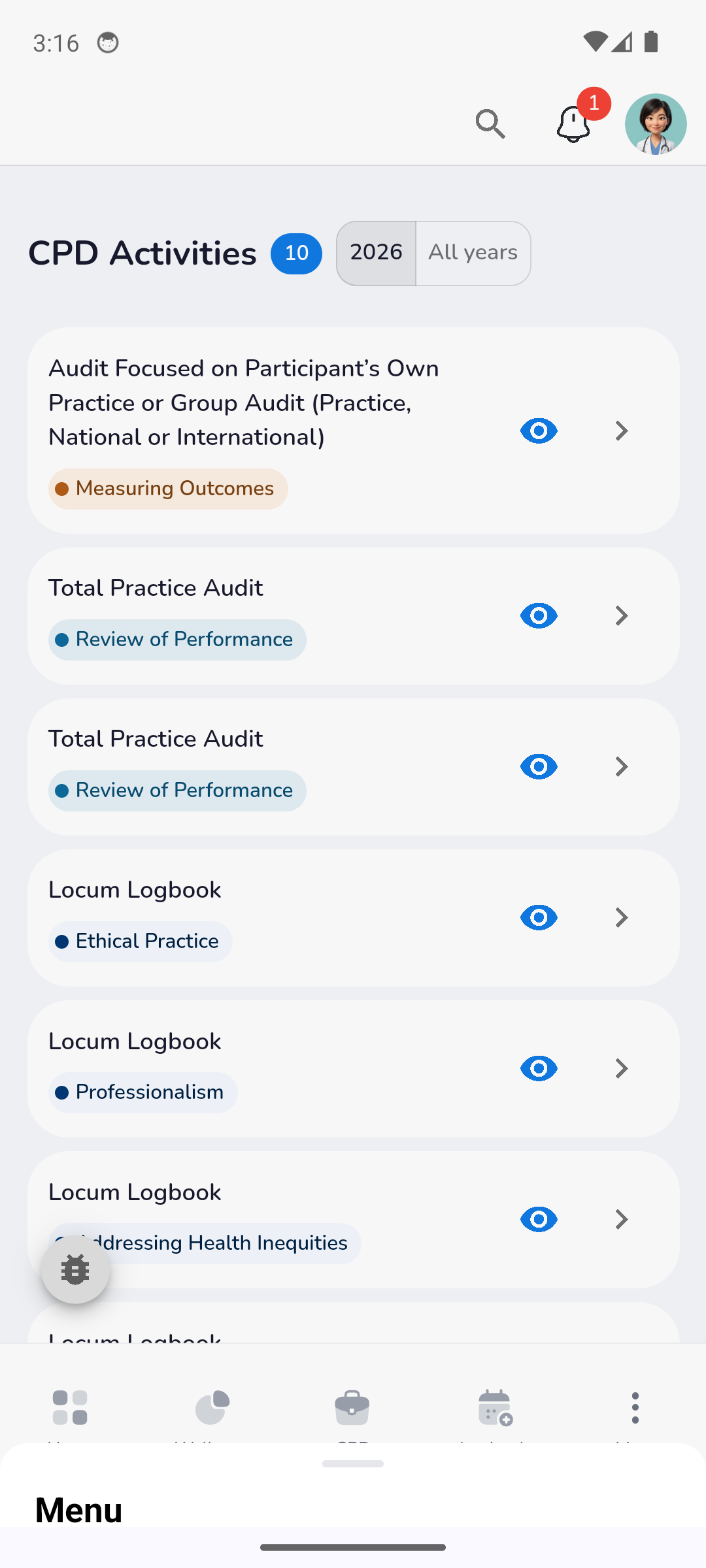
Screens captured 2026-06-03 from the on-brand build (#8238), after the header-rework web deploy so the top web header (search / bell / avatar) renders in the native shell. Pre-login screens (welcome, onboarding, sign-in) and the CPD-only menu variant can be added on request.